








Tele2 innovation expert Arnoldas Lukošius explains why a phone can see more than our eyes and how to capture the aurora.
Read more Weekend weather: after a beautiful Saturday, Sunday will be gloomy
Why does the phone see more than the eyes?
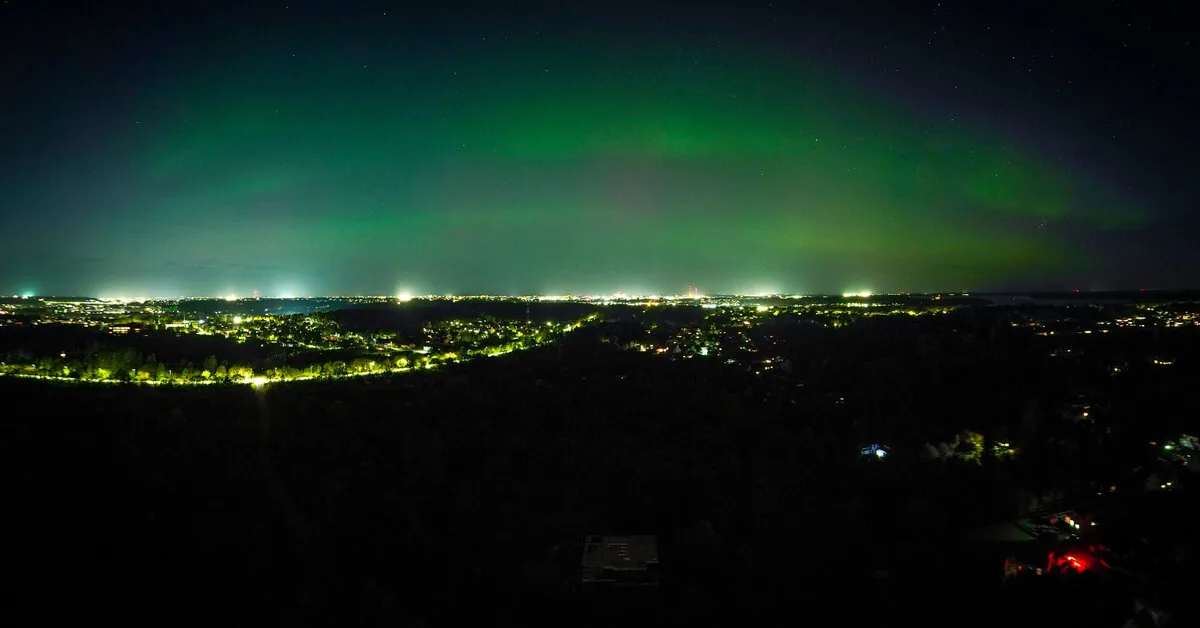
A weak Northern Lights does not necessarily look like in photos. To the naked eye, it may resemble a grayish cloud or a barely noticeable lighter stripe, but the phone camera reveals green or pink colors.
In the dark, our eyes distinguish colors less well, while the phone camera can collect light for several seconds and capture what we almost do not see ourselves. Therefore, if you know that the aurora should be visible, it is worth pointing the phone to the northern sky and taking a test shot,” says A. Lukošius.
First – the darker the place
The aurora is best seen away from city lights, so it is worth choosing an open place for observation where buildings or trees do not block the northern horizon.
Before photographing, you should clean the phone camera lens, turn off the flash, reduce the screen brightness, and select the main camera.
When photographing at night, it is especially important that the phone does not move. It is best to use a tripod or firmly rest the device on another solid surface.
“Even a slight hand movement can blur the shot, especially when the phone collects light for several seconds. It is also worth turning on the timer – then the photo will start after you have moved your hand away from the screen,” advises the Tele2 expert.
What to choose on iPhone and Android phones?
On iPhone phones, night mode usually turns on automatically in low light. By pressing the Moon symbol, you can select a longer exposure time. When the phone is placed on a tripod or stable surface, the device may allow collecting light for longer.
Read more What is behind Russia’s gold sales: The Kremlin has a plan
On Android phones, it is worth looking for modes like Night, Night Sight, Astro, Astrophotography, or Pro. Their names and capabilities depend on the phone manufacturer and model.
First, it is worth trying the night mode available on the phone – in most cases, it selects the appropriate settings itself and allows capturing more light.
Try manual settings
If the phone has a professional or manual shooting mode, you can set an exposure of several seconds, focus to infinity, and gradually increase the ISO sensitivity.
“There is no universal setting. If the aurora is weak, you can lengthen the exposure so the camera collects more light. If it is bright and moves quickly, it is worth shortening the exposure time – otherwise, separate aurora bands may blur together,” says A. Lukošius.
The intensity and shape of the aurora can change within a few minutes, so one shot is usually not enough. It is worth photographing repeatedly and trying several settings.
You can include silhouettes of trees, buildings, or the horizon in the frame – they will give the photo more depth. Before leaving, it is also worth charging the phone battery and ensuring there is enough space on the device for photos.