








First – the darker the place
Meteors are best seen away from city lights, so it is worth choosing an open place for observation where buildings or trees do not block the sky.
“The fewer surrounding lights, the more sky details the phone camera can capture. Upon arrival, it is worth reducing the screen brightness and allowing your eyes to adjust to the darkness for at least several minutes,” says A. Lukošius.
Before photographing, you should also clean the phone camera lens, turn off the flash, and choose the main camera instead of the front one.
The phone must be held steadily
When photographing at night, the most important thing is that the phone does not move. It is best to use a tripod, but the device can also be stably rested on another solid surface.
“Even a slight hand movement can blur the shot. It is also worth turning on a timer of a few seconds – then the phone will start photographing after you have moved your hand away from the screen,” advises the “Tele2” expert.
What to choose on iPhone and Android phones?
On iPhone phones, night mode usually turns on automatically in low light. By pressing the Moon symbol displayed on the screen, you can select a longer exposure. When the phone is placed on a tripod or stable surface, the device often allows longer exposure times.
On Android phones, you should look for modes like “Night,” “Night Sight,” “Astro,” or “Pro.” Their names and features depend on the phone manufacturer and model. For example, on some Google Pixel phones, the astrophotography feature can turn on automatically when selecting the “Night Sight” mode and holding the phone completely steady.
Read more A Lithuanian film has been revealed that will compete for the «Oscars»
“First, it is worth trying the night mode available on the phone. It allows the camera to collect more light and highlight the stars. The most important thing is not to rush – you need to hold the phone steady until the photographing is completely finished,” explains A. Lukošius.
Try manual settings
If the phone has a professional or manual shooting mode, you can set an exposure of 5–10 seconds, focus to infinity, and gradually increase the ISO sensitivity.
“There is no universal setting, so it is worth taking several test shots. If the photo is too dark, you can lengthen the exposure or slightly increase the ISO. If the image is too grainy, the ISO value should be reduced,” says the expert.
One shot may not be enough
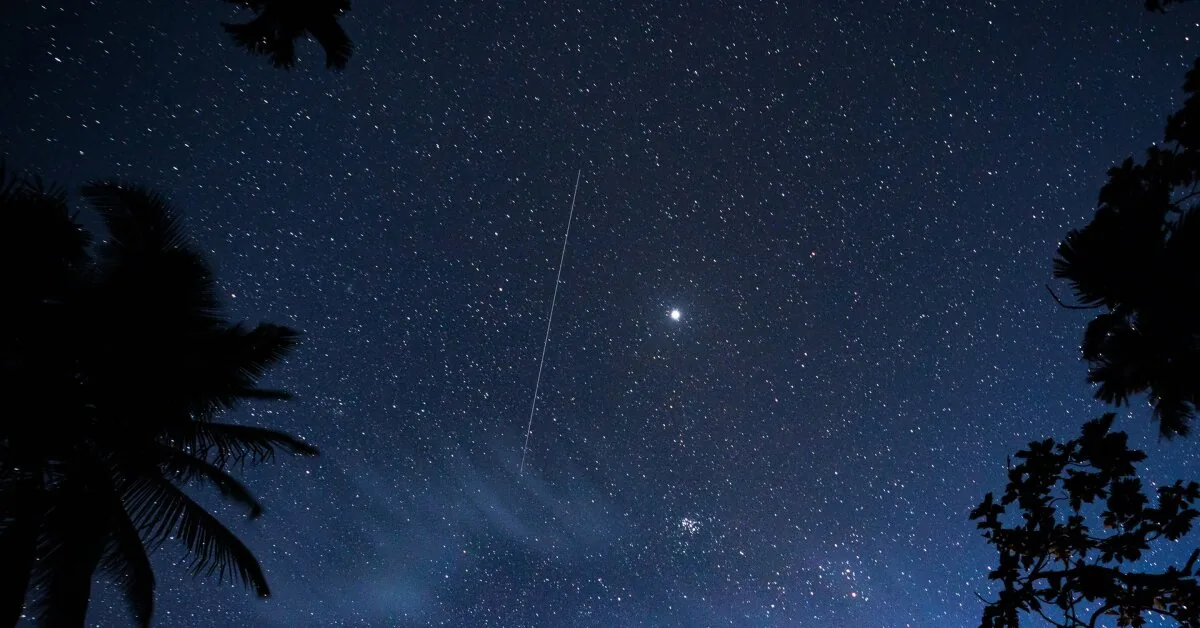
Meteors appear unexpectedly in the sky and are visible only for a moment, so one shot is usually not enough. It is better to shoot repeatedly or use the interval shooting function if the phone supports it.
“Point the phone at as wide a sky area as possible and take more photos. This greatly increases the chance that at least one shot will capture a meteor,” says the “Tele2” innovation expert.
You can also include silhouettes of trees, buildings, or the horizon in the frame – they will give the photo more depth. Before leaving, it is also worth charging the phone battery and ensuring there is enough free space on the device for photos.
Read more Listeria threat in food: VMVT reminds food producers about tightening control