










When the workday ends, but not the work
Some of the “Xiaomi HyperAI” artificial intelligence tools are available in the main menu, where you will also find the settings for the “Gemini” AI assistant installed on “Xiaomi 17T” and “Xiaomi 17T Pro” phones. Some are integrated into the camera, gallery, voice recorder, and notepad. The “Xiaomi 17T” and “Xiaomi 17T Pro” notepad offers a very practical tool called “AI Writing,” which helps create and improve text. You can use it to summarize long articles, or it can expand text if you’ve only written short notes. Additionally, “AI Writing” checks grammar and style.
A familiar scenario for many: the workday is over, you’re heading home, but your phone keeps beeping, and emails keep coming in. You need to reply: perhaps politely but clearly to a client, or briefly summarize what was discussed in a meeting – there can be various scenarios, but often we get stuck at the very first sentence. But “AI Writing” can help us: from a few notes, it will create a draft email, expand a short thought, or suggest a more polite phrasing. Instead of writing a long email, you can jot down the most important points as if you were writing only for yourself. For example: “thank for the meeting, confirm participation in the next meeting, ask to send documents by Wednesday.” “AI Writing” will form a draft from these prompts, and you will review and correct it. The practical benefit is obvious: you’ll stare less at a blank screen, wondering how to reply to an email, and actually finish your workday faster.
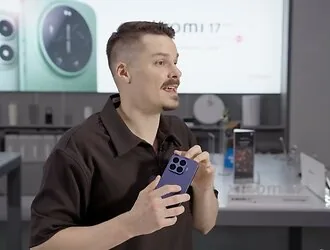
“Xiaomi HyperAI” helps avoid stressful situations at work and while traveling
Another everyday situation – meetings, conversations. Often, you need to listen, take notes, react all at once, and an hour later you’re left with scattered notes and it’s not always clear what was truly most important.
“Xiaomi HyperAI” offers a tool for such cases called “AI Speech Recognition,” which converts speech into text. This function is in the voice recorder, which not only records the conversation and presents it as text, but the AI can also distinguish speakers, prepare a summary, or translate the content. This is especially useful when working in international teams or on business trips abroad. The result doesn’t necessarily have to be a full transcript of the conversation: the AI can summarize the conversation and provide a synopsis.
The benefits of “Xiaomi 17T” and “Xiaomi 17T Pro” phone AI tools also become apparent during travel, especially when you need to figure out a restaurant menu, ask a passerby for something, understand a local guide’s story, tell a taxi driver an address, and so on. But the people you meet only speak their country’s language. In such cases, the “AI Conversation Translation” tool is very helpful. The idea behind this function is to translate real-time conversations. The idea behind the function is to translate real-time conversations.

Another tool, “AI Translator,” translates conversations happening both on the phone and during remote meetings, while “AI Subtitles” captures speech and provides subtitles in two languages: the original and the selected one.
So, by using AI translation tools, you can ask more questions and experience fewer of those moments when both parties want to say something but don’t know how. The translation function can help you more easily strike up a conversation with someone in another country, understand what a restaurant offers, clarify a route, or simply ask a question.
Photo editing on Xiaomi 17T series phones
Everyone has such photos: the shot is beautiful, but there’s a random passerby, a trash can, or a reflection in the glass in the background. We promised to “fix those photos someday,” but that “someday” still hasn’t arrived. The gallery on Xiaomi 17T series phones has several creative AI functions: image enhancement, erasing, object removal, glare and reflection removal, image expansion, AI clip, collage, AI art. These functions essentially speed up photo editing; much can be done on the phone without needing a computer or complex graphics programs. For example, you traveled over the weekend, took many beautiful photos, but in the most impressive one, some guy is standing next to you. No problem, select the “remove people” function and you’ll erase him. Another common situation: we’re going up a mountain by lift, the views are impressive, but we have to photograph through the window, so the photos aren’t as impressive because they show window reflections. In such cases, the reflection removal function comes in handy. Need to change the photo format? The AI image expansion function will help. And the “AI clip” tool will create a short video from a dozen photos: after a weekend by the sea, you can select a dozen shots: dunes, a walk, a sunset, and the AI will arrange the video’s rhythm, transitions, and select music. “AI Art” will turn your photo into a work of art; you just need to choose a style.
“Gemini” on your phone: quick answers to all questions
On “Xiaomi 17T” and “Xiaomi 17T Pro” phones, the “Gemini” assistant works not only as a separate app but also provides assistance in the context you are already in: reading text, searching for information on the screen, working with applications, i.e., this assistant can be accessed without leaving the current situation. For example, you open a news portal and see a long text on the screen, but you only want a summary of it. Without closing the page, you call up “Gemini” and ask for a summary. Fewer switches between apps, no need to copy text, open another app, paste. When AI assistance appears on the same screen, tasks are performed faster and more conveniently.
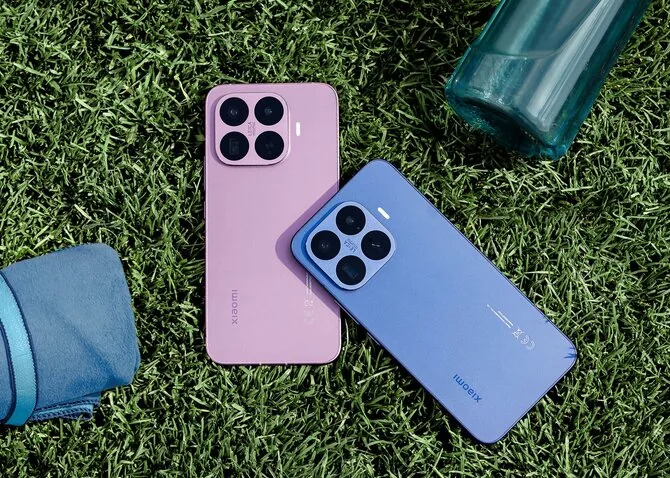
The “Google” function “Circle to Search” integrated into “Xiaomi 17T” and “Xiaomi 17T Pro” phones will also be useful. For example, if you see an unfamiliar object, place, or an incomprehensible post on a social network, news portal, or video, simply call up this function and mark what interests you on the screen – search results appear right there, allowing you to quickly translate text, learn more about the visible object without interrupting what you are currently doing on your phone. The gallery integrates a similar function, “Google Lens,” which allows you to recognize what is depicted in photos. Imagine a simple everyday situation: you pulled the balcony door too hard and broke the door handle. You don’t know its manufacturer or where to get one. Take a photo, call up “Google Lens” in the gallery, and you’ll immediately get an answer about what the part is and where to buy it. It will help you recognize everything your eyes see.
AI should help, not control
When using the AI tools installed on “Xiaomi 17T” and “Xiaomi 17T Pro,” it’s important to maintain a healthy balance. AI can suggest text, but a human should check it. AI can fix a photo, but the best shots are taken by a human. “Xiaomi HyperAI” should be seen as a personal assistant that can significantly shorten the path from thought to result, but the final decision is yours. Sometimes technology is criticized for taking our time, but “Xiaomi HyperAI” does the opposite: it helps you finish tasks faster, doesn’t demand your extra attention, and only saves time.
Read more Served up on a plate: Ukraine struck a Russian fighter jet at Kursk airfield