









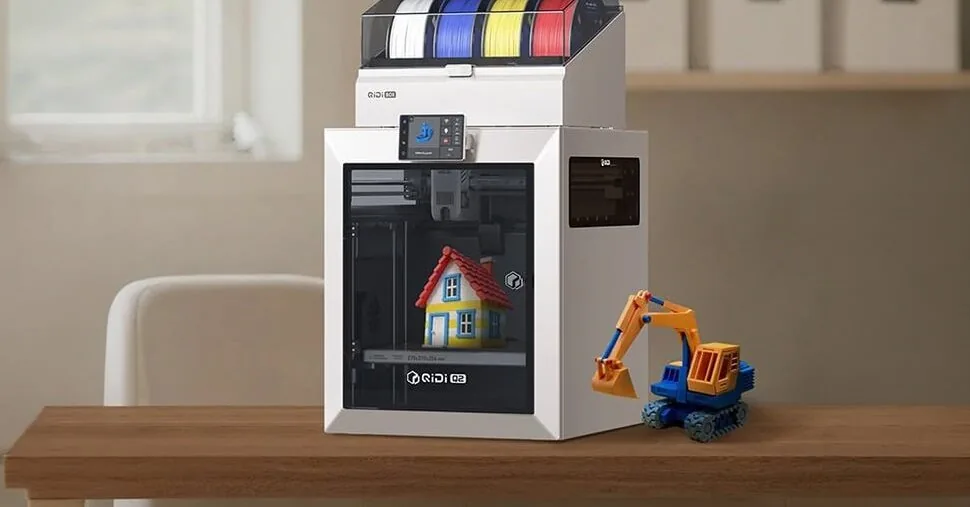
I have worked with both the professional Raise3D Pro 2 Plus 3D printer, which at one point cost more than five thousand euros, and the Tronxy X5SA PRO, which is ten times cheaper. Although both of these devices can produce parts of similar size, there was never any doubt as to why their prices differed so drastically. The advantage of the more expensive printer was obvious – from ease of use and printing process stability to the quality of the final result.
Today we are testing the Qidi Q2 – a printer that, in terms of its construction and appearance, is much closer to the professional Raise3D Pro 2 Plus, but costs as much as the Tronxy X5SA PRO did a few years ago. And this is not just an external similarity. In some technical characteristics, the Qidi Q2, at least according to specifications, manages to surpass even much more expensive competitors.
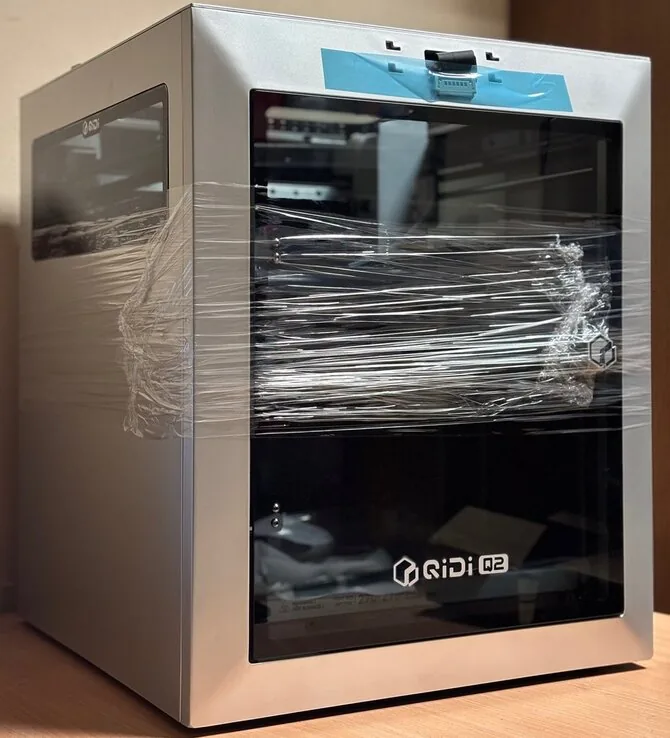
Sounds too good to be true? At first glance – perhaps. However, it is important to remember that the printers mentioned earlier have been on the market for several years, while the Qidi Q2 is a much newer generation device, designed using what manufacturers have learned during the latest stage of 3D printing technology development.
First acquaintance
One of the first advantages of the Qidi Q2, which immediately becomes noticeable, is that the printer arrives fully assembled. You just need to unscrew a few transport screws, attach the externally mounted components, and the device is ready for use. I am not a person who avoids assembling equipment or spending time on its adjustment, but previous experience with the Tronxy X5SA PRO showed that this process can take much longer than expected. Sometimes, just correctly tensioning the belts, leveling the print bed, and adjusting the first layers requires a full day’s work.
The Qidi Q2 prints on a 270 mm x 270 mm platform, with a maximum print height of 256 mm. This is not a device for large-scale products, but for most everyday projects, such a printing area is completely sufficient.
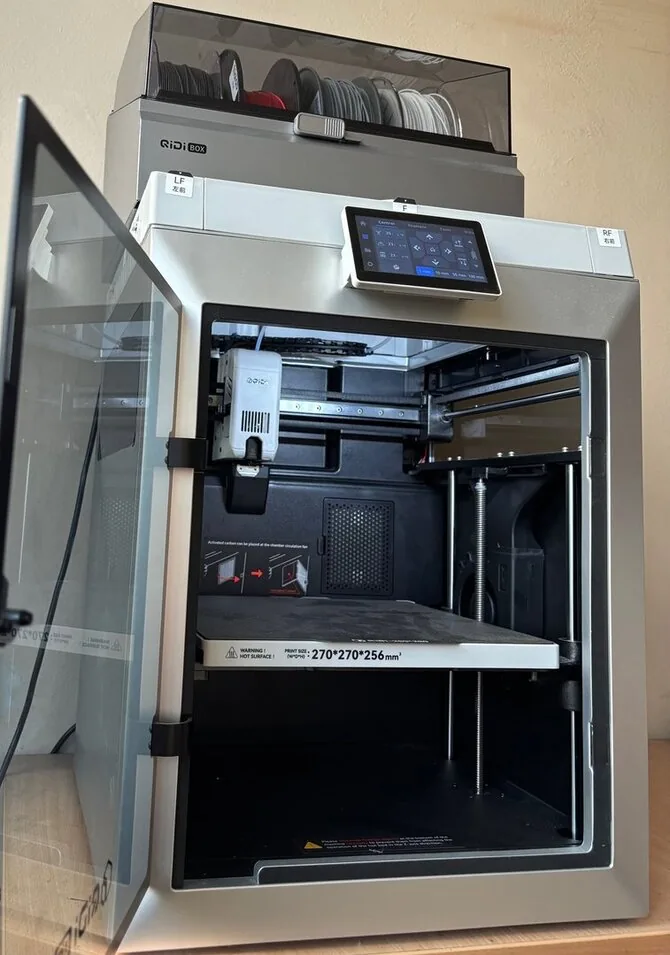
One of the most distinctive features of the Qidi Q2 is its speed. The print head can move at speeds of up to 600 mm/s, and the device’s acceleration and deceleration parameters are also impressive. In practice, this means that the print head can move from one side of the printer to the other in less than half a second. Seeing a device moving at such speed for the first time naturally raises the question – will such aggressive movement not harm accuracy and reliability? However, after a few tests, it becomes clear that the design is adapted for this, and the motion system operates precisely and reliably.
The Qidi Q2 stands out because its print head can heat up to 370 °C. This is 50 °C – 100 °C more than most other models. Maintaining such high temperatures is not a feature that every user will need – most will never print with materials requiring temperatures above 300 °C. However, for those working with rare specialized materials, this becomes a very important advantage.
High print head temperature is not the only temperature aspect that distinguishes the Qidi Q2. This model features an active heating system inside, capable of maintaining a temperature of up to 65 °C in the print chamber. This will help reduce the temperature difference between the extruded and cooling material and result in a smoother surface finish for the final product.
The main settings can be controlled both via the printer’s screen and using the “Qidi Studio” application. The latter is a redesigned version of “Orca Slicer” adapted specifically for this printer. It is quite functional – it allows not only to prepare print files and control the process, but also to remotely monitor the printer’s camera view.
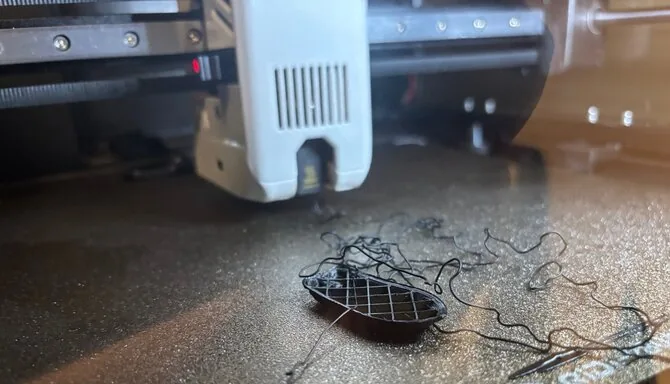
The integrated camera also has an AI-powered print failure detection function. Theoretically, if the process starts to go wrong, the printer should automatically stop working. Unfortunately, during testing, it became clear that this system is not entirely reliable – when a situation where printing should have been stopped was specifically provoked, the device did not do so.
Regarding the control screen, everything is simple and clear here. The menu structure is intuitive, and the main functions can be accessed without much effort. However, the screen itself could be larger. A 4.3-inch diagonal has become a kind of standard in many 3D printers, but it would be nice to see a 6-7 inch control panel comparable to smartphones.
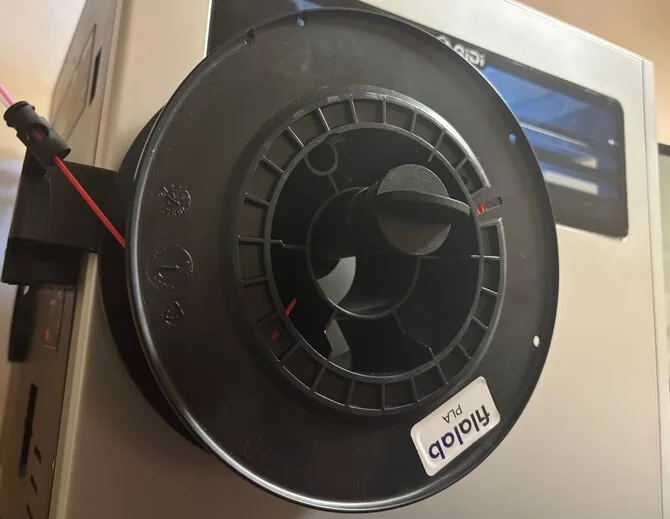
The print filament spool holder is one of the weakest points in the Qidi Q2’s construction. Due to a single mounting point on the back wall, it lacks sufficient rigidity, and when a standard 1 kg filament spool is placed on it, the holder seems to barely withstand the load. The manufacturer could have solved this problem very simply – by adding an additional mounting point on the side wall. I have no doubt that sooner or later this holder may not withstand the load and break. Fortunately, we can print a replacement part with the printer – various improved holder models can be easily found online.
The Qidi Q2 is a fairly loud printer. In workshops or workspaces, this is not a big problem, but if placed closer to the living room or bedroom, the clearly audible sound can become annoying.
Another minor drawback is that the printer’s power cable makes poor contact with the printer itself. I have nothing to blame for this problem – the same power cable worked without problems with other devices, and any other power cable worked perfectly for the printer, so I will consider this a simple coincidence.
Tests
For testing, we will use one of the most popular 3D printing benchmarks – the so-called “boat” (“3DBenchy”). This small model is designed to test various printer capabilities: detail accuracy, surface quality, overhang printing, and overall process stability.
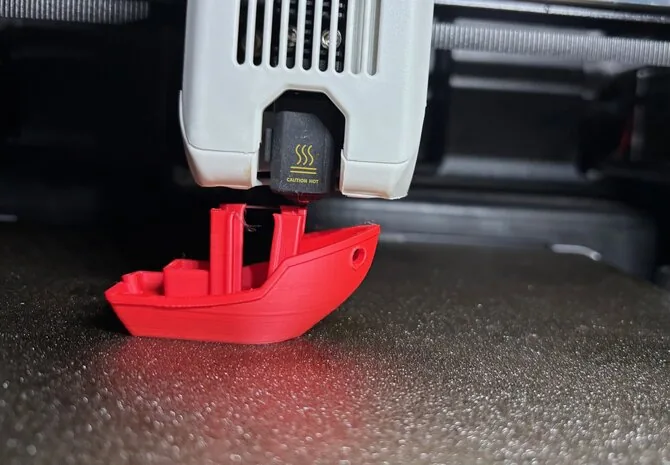
After turning on the printer, I noticed that the print file for this boat was already saved on the device itself. So I decided not to waste time looking for the boat model and immediately started printing. What I saw surprised me – the printer started moving at an enormous speed. The boat was printed in just 17 minutes, whereas normally a project of this size often takes longer than an hour. True, the final result was not ideal. Most of the shortcomings arose not due to the printer’s capabilities, but due to the extremely high printing speed. This particular test is not intended to show the highest possible quality – its main purpose is to demonstrate the pace at which the device can operate.
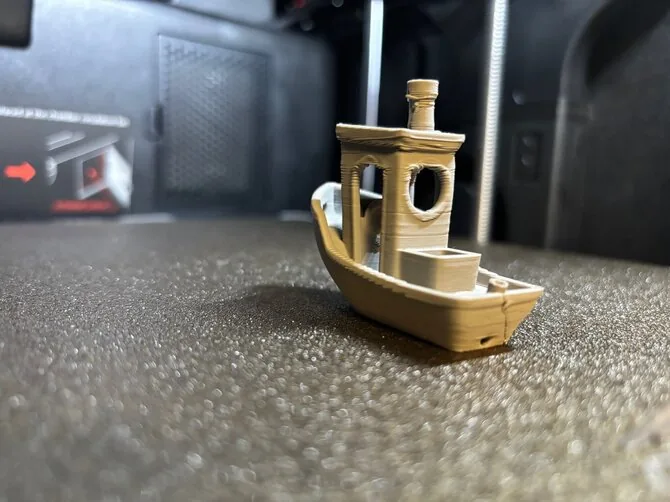
Seeing the result of the first attempt, I decided to find a more suitable model myself and try to achieve better quality. Even with reduced speed, the result remained impressive – printing took only 40 minutes. The quality clearly improved, but a few noticeable flaws remained: a small defect was visible at the top of the boat’s doors, and a rather distinct deck line remained. The latter is not solely a problem of a specific printer – it is more of a physical phenomenon common to many devices. The deck line appears because the plastic shrinks unevenly as it cools. As the model’s geometry and heat distribution change, layers at a certain height may shift slightly inwards or outwards. This effect can be reduced by changing printing settings, but it is often impossible to completely avoid it.
However, such a distinct line is not acceptable. Therefore, I adjusted the settings once more and repeated the test. This time, the printing time returned to a more typical one – about an hour, but the result became significantly better. The deck line was still visible, but became almost imperceptible, and the upper part of the doors was printed much more accurately.
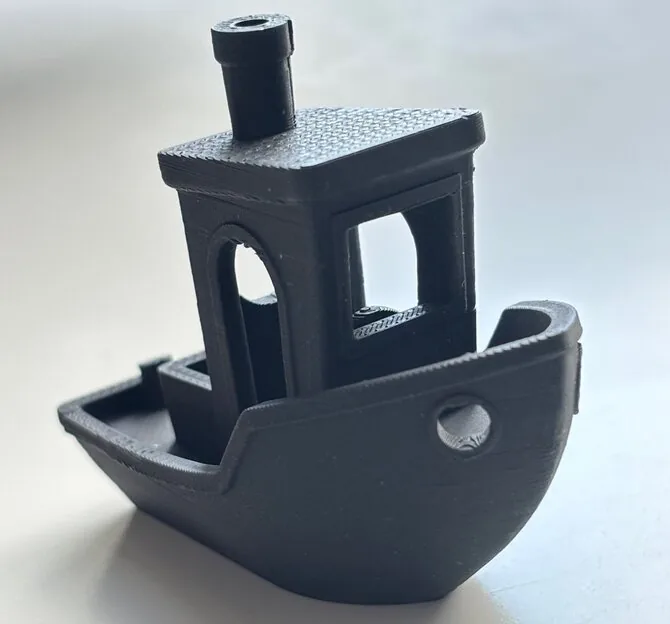
Anyone who has worked with 3D printers knows how difficult it is to achieve a perfect first layer. I have tried devices that automatically set its height, as well as those where everything needs to be adjusted manually. Until now, I was convinced that a completely perfect first layer practically does not exist. Nevertheless, I have to take my hat off to the Qidi Q2 – it truly manages to form an ideal first layer without additional user intervention.
Printing in color with “Qidi Box”
Along with the Qidi Q2, an additional “Qidi Box” accessory can be purchased. This is a system that holds four different printing materials, and the device automatically changes them during the printing process. This way, it is possible to achieve what the 3D printing community has been dreaming of for many years – using several different colors in one product.
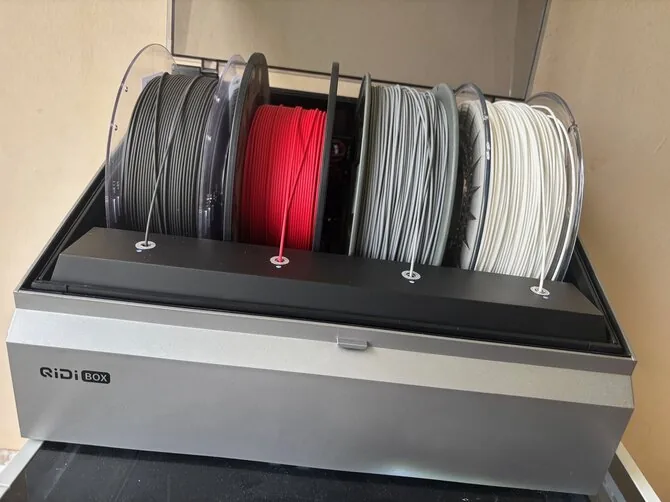
Unfortunately, the first acquaintance with the “Qidi Box” was not as smooth as desired. The printer completely ignored the connected device, so it had to be replaced. Of course, such situations can happen with any manufacturer’s products, but the first impression suffers a bit because of it. The positive thing is that the problem was solved and the new device worked properly, but it would be desirable for similar defects to be noticed during factory quality control, before the product reaches the customer.
The Qidi Q2 itself is characterized by very simple and quick preparation for work, but the same cannot be said for the Qidi Box. Its connection process is quite long and requires many additional steps that could have been avoided with a better overall system design. To start using the Qidi Box, you need to install a height extension platform, replace the material wiping block, and install a different end-of-material sensor. It gives the impression that the Qidi Q2 was primarily designed as a standalone printer, and Qidi Box support came later, as a way to adapt additional equipment to an existing design.
Despite the complex preparation, the result achieved during printing was pleasing. The color transition layers are smooth and imperceptible, and the final product looks seamless and high-quality.
The “Qidi Box” also has another useful function – it can act as a filament dryer. This allows moisture to be removed from the filament spools and improves the printing result. Considering how much four-spool capacity and drying function devices cost, the “Qidi Box” starts to look like a quite attractive offer.
However, it is important to understand that color 3D printing still has its limits. Many manufacturers create the impression that such systems allow easy printing of any multi-color object, but the reality is slightly different.
The system works perfectly when different colors are arranged horizontally, but if the color transitions are different, the printing material may need to be changed in each layer. In such a case, the printing time increases many times over.
For example, the colored boat shown below may take almost two days to produce, while a variant of the same quality with horizontal color arrangement was printed in just over an hour and a half.
Qidi cannot be blamed for this – such is the operating logic of current multi-color 3D printing systems. However, before purchasing such an accessory, it is essential to understand that color 3D printing is not yet as simple and fast a technology as it sometimes appears in manufacturers’ advertisements.
It must be admitted that the dual print head system used by the Raise3D Pro 2 Plus and other more expensive professional printers is superior in many cases. Although such devices can only work with two colors at a time, not four, like the Qidi Box, their printing process is significantly faster, as it avoids the long material exchange process in a single head.
Conclusions
The price of the Qidi Q2 is about 500 euros, and the four-color material changing system “Qidi Box” costs an additional 150 euros. For those for whom such an amount seems too high, the manufacturer also offers a cheaper alternative – the Q2C model, costing about 380 euros. It does not have a heated print chamber system and an integrated camera.
The speed of this printer made the biggest impression. The Qidi Q2 is capable of printing plastic at an astonishing pace, making it perfect for those who want to achieve the final result as quickly as possible. For those seeking quality, it will be necessary to reduce the printing speed and dedicate time to finding optimal settings – the manufacturer, when creating the default settings, focused on maximum performance. It is also worth mentioning the abundance of smart features that facilitate daily use. Automatic bed leveling, a well-thought-out material changing system, and other auxiliary tools allow less time to be spent on technical adjustments.
One of the most interesting features of the Qidi Q2 is its print head, which can reach temperatures of up to 370 °C. This opens up the possibility of using more exotic materials that require higher temperatures. Other models offering such capabilities often cost several times more.
The biggest disappointment is the integration of the “Qidi Box”. The long connection process and the necessity to replace original printer parts gave the impression that this system was developed after the printer itself. The mood was further soured by the fact that the first “Qidi Box” tested was faulty, and only the second one worked correctly. Several smaller printer drawbacks can also be highlighted: the “Qidi Q2” is not the quietest device, the spool holder should be sturdier, and the artificial intelligence system, which is supposed to detect failed prints and stop them, does not always work.
There are many similar alternatives on the market from major manufacturers such as Prusa, Bambu Lab, or Creality. The lesser-known “Qidi” tries to compete by offering a slightly lower price. While it is not a perfect alternative to more expensive models, it is worth serious consideration, especially if you plan to use it without the “Qidi Box”.
Read more Woman murdered in Kaišiadorys district